Use free NVIDIA AI in Hermes
Hermes can run on the free AI models from NVIDIA instead of Claude. You paste your NVIDIA key on the Keys page and pick an NVIDIA model on the Models page. Everything happens in the Hermes dashboard.
| Time needed | 5 minutes |
| You need | Your Hermes agent and a free NVIDIA API key (see Get free AI from NVIDIA) |
| Result | Hermes answers with an NVIDIA model, for example Nemotron |
Read this first
- NVIDIA's free key is "for API testing use only" and has a speed limit (about 40 requests per minute). It is fine for trying things. For an agent that your customers or your staff depend on, keep Claude. Step 5 shows how to switch back.
- The client-area Settings page only offers Anthropic, OpenAI and OpenRouter. NVIDIA is set up in the Hermes dashboard, as shown below.
- The key box on the Keys page shows the key in clear text while you paste it. Do it when nobody is looking at your screen.
1. Open the NVIDIA key box
- In the client area, open your Hermes agent and click Open dashboard.
- In the menu on the left, click KEYS.
- Click Show Advanced at the top right. Without it, NVIDIA is not in the list.
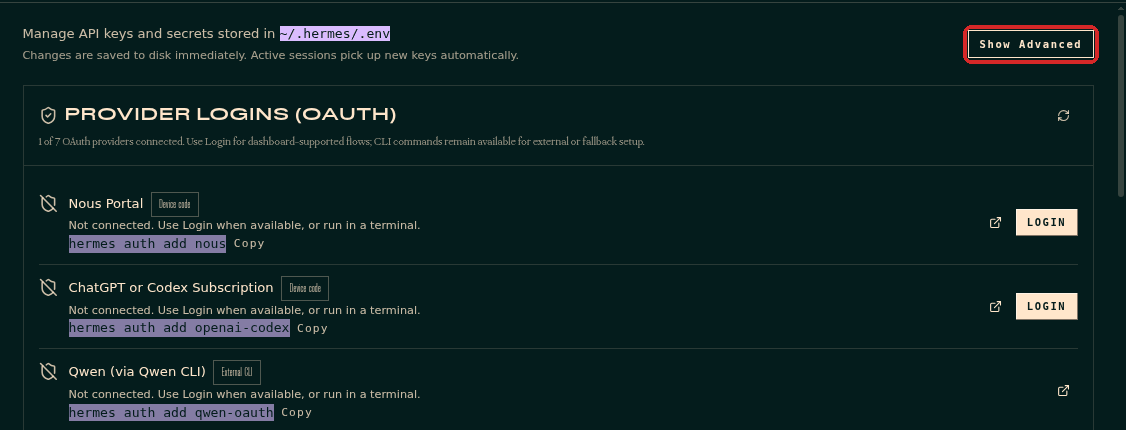
Scroll down to LLM PROVIDERS:
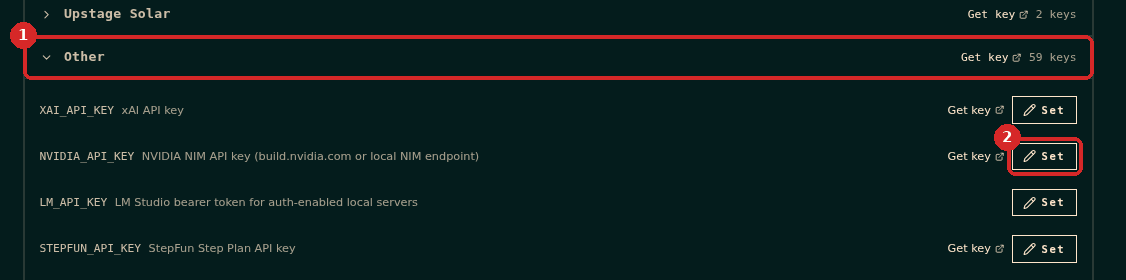
- Click Other (the last group of the list) to open it.
- On the line NVIDIA_API_KEY, click Set.
2. Paste your NVIDIA key

- Click in the box and paste your key (it starts with
nvapi-; blurred here). - Click Save.
Hermes says NVIDIA_API_KEY SAVED and the label next to the name changes from Not set to Set. The box now shows only the first and last 4 characters of the key.
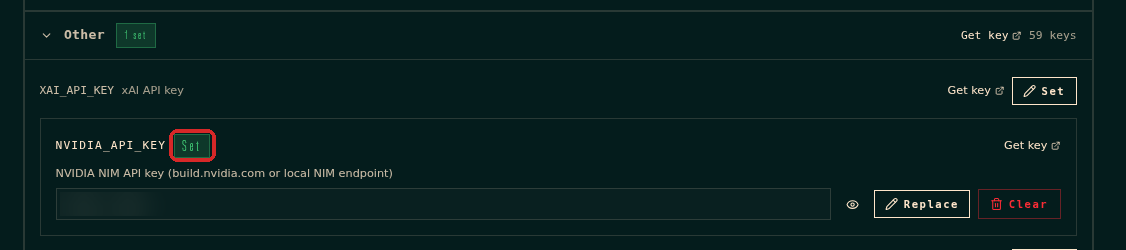
3. Choose an NVIDIA model
- In the menu on the left, click MODELS.
- MAIN MODEL (1) still shows
anthropic · claude-sonnet-5-5. Click CHANGE (2).
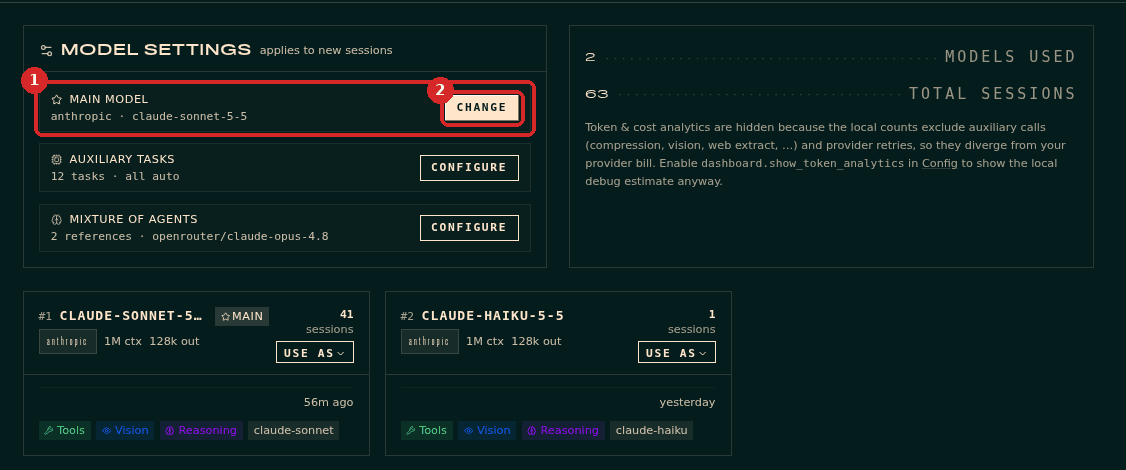
The Set main model window opens:
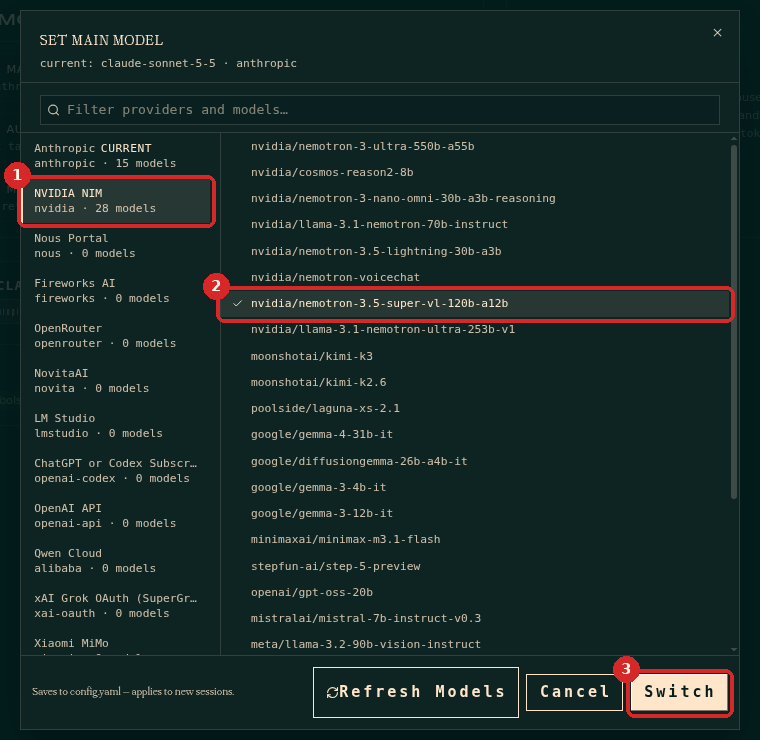
- Click NVIDIA NIM in the list on the left. Once your key is saved it shows a number of models (28 on our agent). Without a key it shows 0 models.
- Click a model. We used
nvidia/nemotron-3.5-super-vl-120b-a12b, NVIDIA's own model. - Click Switch.
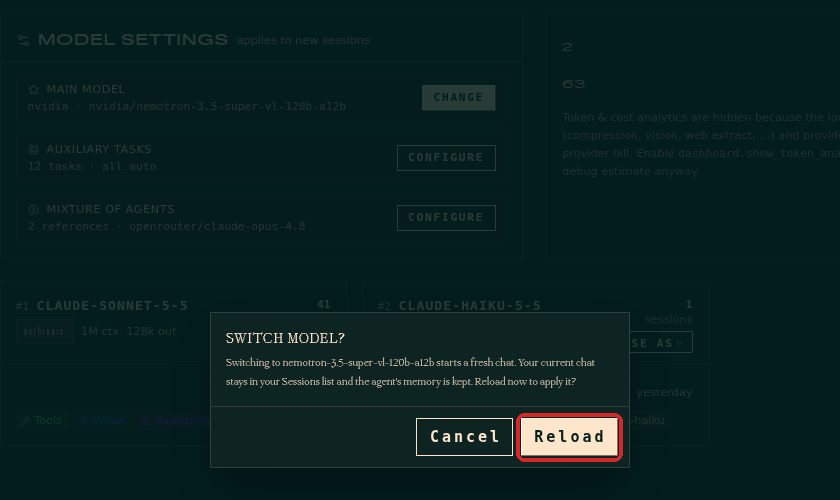
Hermes asks Switch model?: the switch starts a fresh chat, your old chats stay in Sessions and the agent's memory is kept. Click Reload.
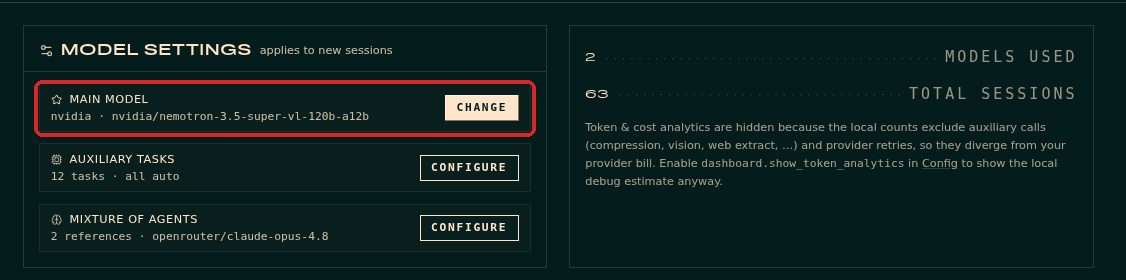
MAIN MODEL now says nvidia · nvidia/nemotron-3.5-super-vl-120b-a12b:
Not every model in the list works with a free key
The list comes from Hermes, not from your NVIDIA account. With our free key, nvidia/nemotron-3.5-super-vl-120b-a12b and nvidia/nemotron-3.5-lightning-30b-a3b answered in about a second, including tool use. moonshotai/kimi-k2.6 returned Not Found and deepseek-ai/deepseek-v4.1-flash gave no answer within 2 minutes. If a model fails, pick another one.
4. Test it in the chat
Open CHAT and send a short question. We asked "Reply in English: which model are you, and what is 17 x 23?", then asked Hermes to create a small file and read it back:
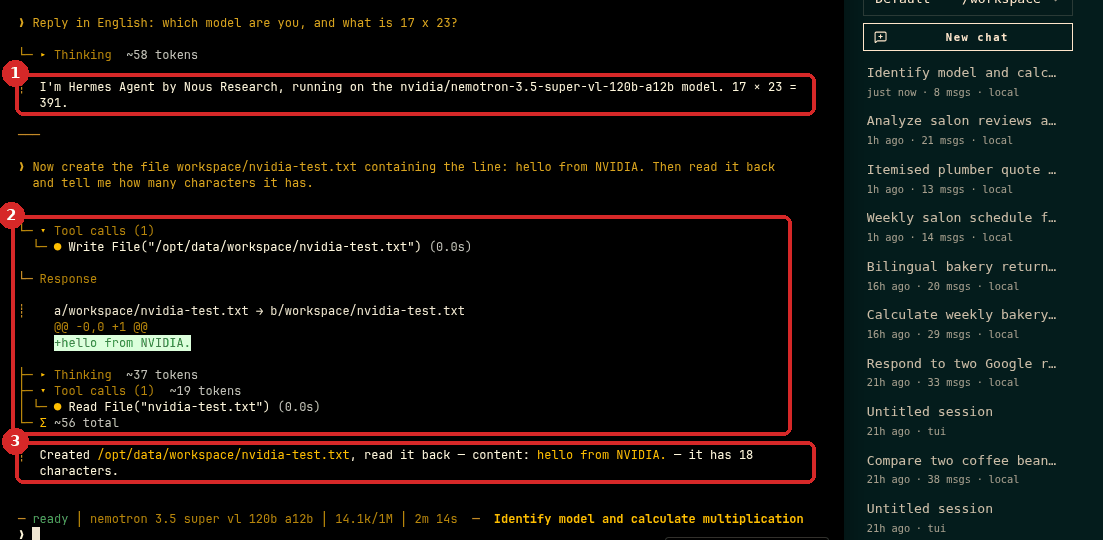
- Hermes says it runs on
nvidia/nemotron-3.5-super-vl-120b-a12band gives the correct result, 391. The answer took about 4 seconds. - For the file task it used its tools: Write File, then Read File.
- The final answer was correct: the line
hello from NVIDIA.has 18 characters. The whole task took about 10 seconds.
The MODEL box at the top right of the chat also shows the NVIDIA model.
5. Go back to Claude (and remove the key)
- Open MODELS → CHANGE.
- Click Anthropic, then
claude-sonnet-5-5(or the Claude model you used before). - Click Switch, then Reload. MAIN MODEL shows
anthropic · claude-sonnet-5-5again.
If you no longer use NVIDIA, remove the key too: KEYS → Show Advanced → Other → on NVIDIA_API_KEY click Clear. Hermes asks Clear this key?. Click Delete:
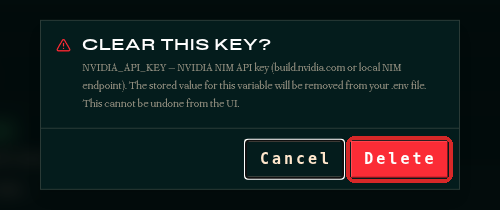
Hermes says NVIDIA_API_KEY REMOVED. To stop the key from working anywhere, also delete it on NVIDIA's API Keys page. (In our test, the deleted key still worked for several minutes afterwards.)
Check that it worked
- MODELS → MAIN MODEL shows
nvidia · .... - In CHAT, the MODEL box shows the NVIDIA model, and Hermes names it when you ask "Which model are you?".
Common problems
NVIDIA NIM shows 0 models
The key is not saved. Go back to step 1: KEYS → Show Advanced → Other → NVIDIA_API_KEY must say Set.
I cannot find NVIDIA_API_KEY on the Keys page
Click Show Advanced at the top right of the Keys page, then open the Other group under LLM PROVIDERS.
Hermes answers with an error or does not answer
Some models in the list do not work with a free key, and busy models can be slow. Pick nvidia/nemotron-3.5-super-vl-120b-a12b or nvidia/nemotron-3.5-lightning-30b-a3b, which worked in our test. If you send many messages in a row, you may hit the free limit of about 40 requests per minute: wait a minute.
The old chat still uses Claude
The change applies to new chats. Click New chat in the chat page.