Recipe: analyse your sales spreadsheet with Hermes
Give Hermes a sales export (CSV or Excel) and ask business questions in plain words: total sales, best products, best days, and a chart you can share.
| Time needed | 5 minutes |
| You need | A Hermes agent connected to an AI model and a spreadsheet exported from your till, shop or accounting software |
| Result | Totals, a ranking, practical advice and a chart image |
1. Upload the spreadsheet
In the dashboard, open FILES, go into the workspace folder and click UPLOAD, as in Hermes reads a contract for you.
Our test file, sales-october-2026.csv, had one line per product per day for a bakery: date, product, quantity, unit_price_eur.
2. Ask your questions
In CHAT, ask for what you need and where to save the chart:
Now open workspace/sales-october-2026.csv (my bakery sales). Tell me in English: total revenue for October, revenue per product from best to worst, the best day of the week, and one practical suggestion. Also save a bar chart of revenue per product as workspace/sales-october-chart.png.
- Your question.
- Hermes first checks the file (186 rows, no errors), then calculates and answers with a table.
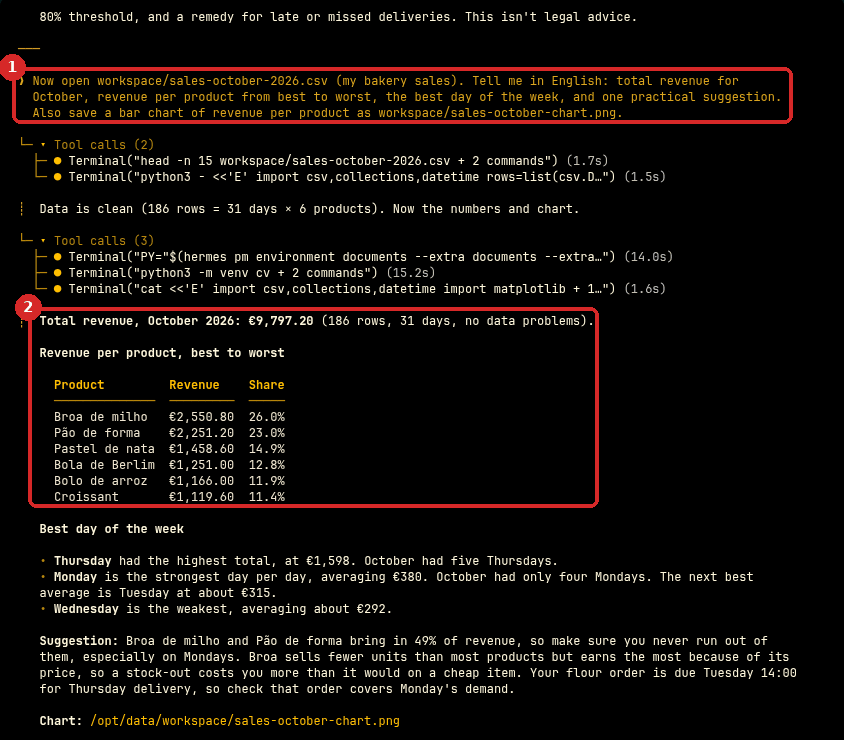
Hermes does the maths with a small program, not "by eye". We checked its numbers separately: the total (€9,797.20), every product line and the days of the week were all correct.
3. Get the chart
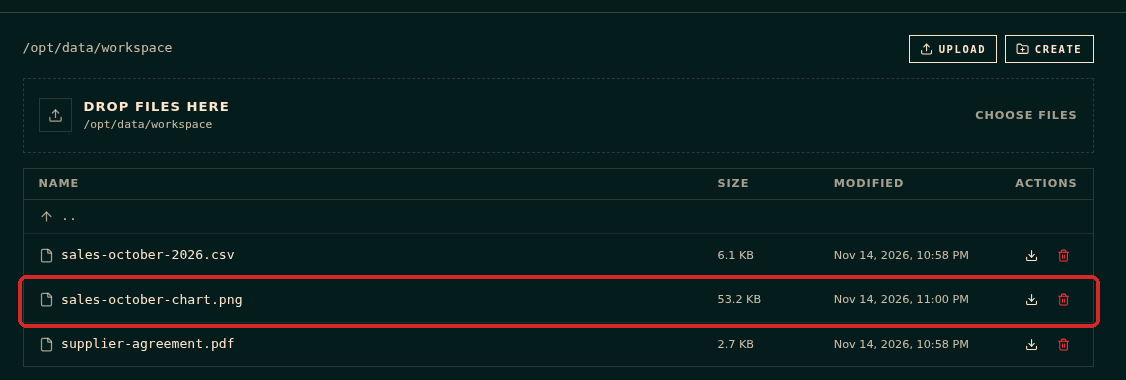
Open FILES → workspace. The chart is there (the first time, Hermes may take a few seconds to install its chart tools). Click the download arrow on its line to save it on your computer.
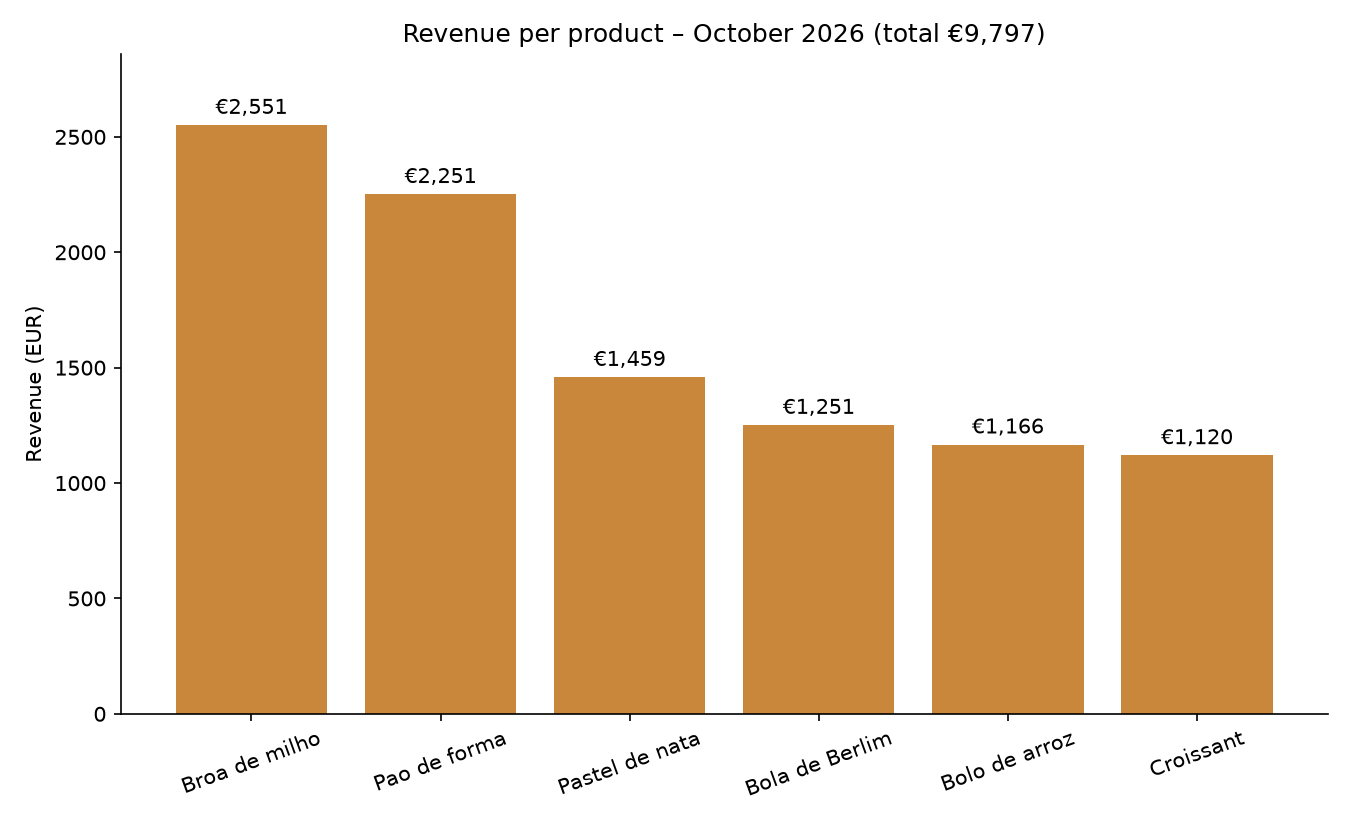
This is the chart Hermes made in our test:
Check that it worked
Check one number yourself, for example the total in your till software. If it matches, the rest was calculated the same way.
Make it yours
- "Compare October with September (sales-september-2026.csv)."
- "Which products sell more at the weekend?"
- "Make the chart in Portuguese, with the product names as they are in the file."
- Every month, on the 1st, ask Hermes to analyse the new export and send the summary to Telegram: see Schedule a recurring task.
Common problems
The numbers look wrong
Ask Hermes "show me the first 10 rows and the columns you used". Often a column has a different meaning than expected (with or without VAT, units or boxes). Tell it, and ask again.
My file is in Excel (.xlsx)
We tested this recipe with a CSV file. If your file is in Excel, the simplest is to export it as CSV first (in Excel: File → Save As and choose CSV).
Is my data safe?
The file stays on your agent's server. To answer, Hermes sends the parts it needs to your AI provider, as for any question. Do not upload data you are not allowed to share with that provider.