Change the AI model Hermes uses
Your AI provider offers several models. Bigger models are smarter but cost more per message; smaller ones are faster and cheaper. This guide shows how to switch Hermes to another model, for example from Claude Sonnet to the cheaper Claude Haiku.
| Time needed | 2 minutes |
| You need | A Hermes agent connected to an AI provider |
| Result | New conversations use the model you chose |
1. Open the Models page
- In the client area, open your Hermes agent and click Open dashboard.
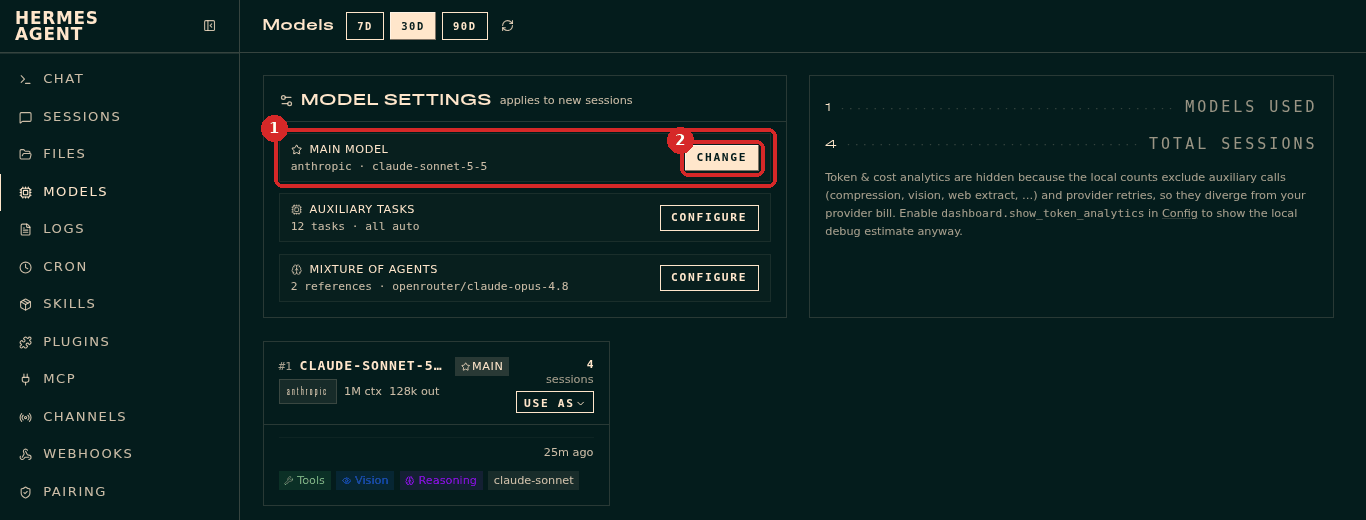
- In the dashboard menu, click MODELS.
- MAIN MODEL (1) shows the provider and the model in use, for example
anthropic · claude-sonnet-5-5. Click CHANGE (2).
2. Choose the new model
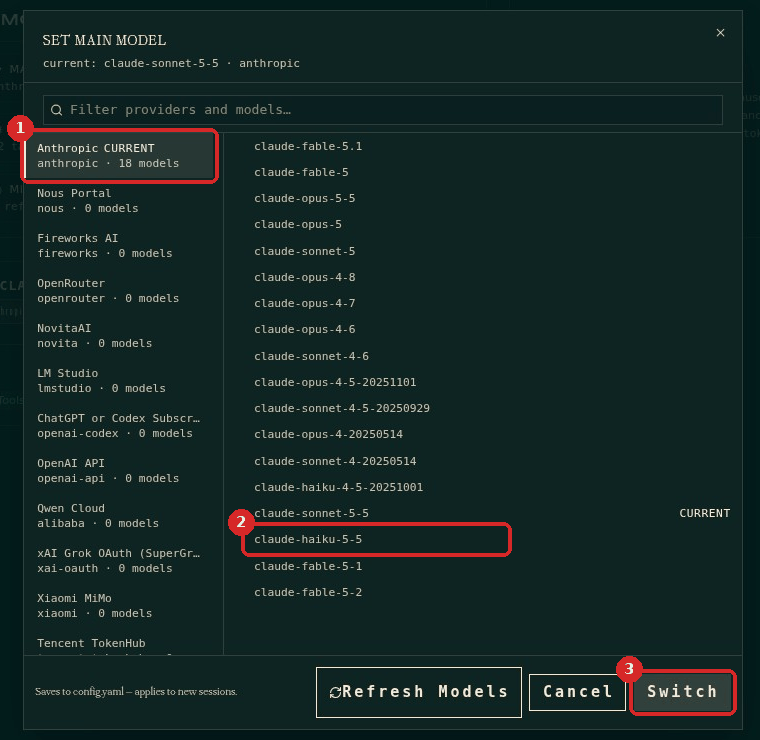
The Set main model window lists the providers on the left and their models on the right.
- Click your provider (1). The one in use says CURRENT. Providers with 0 models are not set up on your agent.
- Click the model you want (2), for example
claude-haiku-5-5. - Click Switch (3).
Not sure which model to pick?
For everyday questions, replies and summaries, a Haiku model is usually enough and costs less. Keep Sonnet (or Opus) for long or difficult tasks. Your provider's price page shows the cost of each model.
3. Confirm
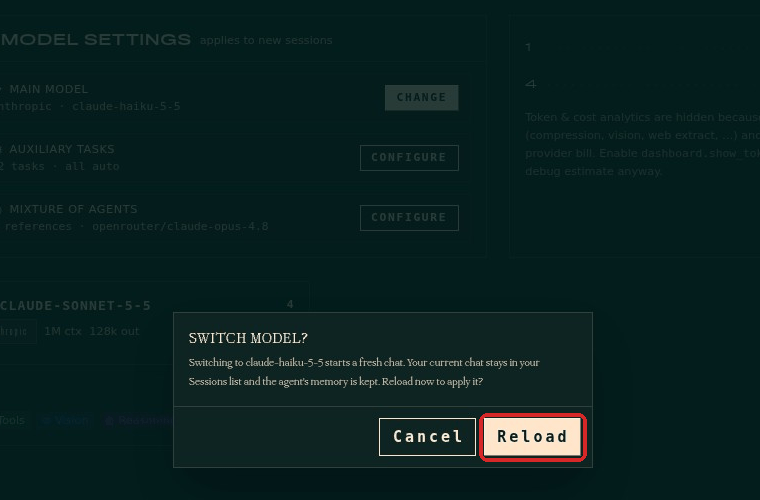
Hermes asks Switch model?: the switch starts a fresh chat, your current chat stays in Sessions and the agent's memory is kept. Click Reload.
Check that it worked
- On the Models page, MAIN MODEL shows the new model.
- Open CHAT, click New chat and ask "Which AI model are you running on right now?". The answer (1) and the MODEL box on the right (2) show the new model.

Conversations that were already open keep their model
The change applies to new sessions. A chat that was already open keeps the model it started with. Click New chat to use the new one.
Common problems
My provider shows 0 models
That provider has no key on your agent. Add the key first (see Connect Claude; OpenAI and OpenRouter work the same way in the client area Settings).
The model I want is not in the list
Click Refresh Models at the bottom of the window to load the latest list from your provider.
After switching, Hermes answers with an error
Your provider account may not have access to that model. Switch back to the model you used before and check your account with the provider.