n8n: sign in and build your first AI agent with Claude
n8n is a tool for building workflows, chains of steps that run on their own. In this guide you sign in to your n8n, connect it to Claude (Anthropic), and build a small AI chat agent that answers you.
| Time needed | 15 minutes |
| You need | An n8n agent from LusoVPS, the "Your n8n is ready" email, and an Anthropic API key (create one in the Anthropic Console) |
| Result | An n8n workflow that answers your messages using Claude |
Where the AI key goes in n8n
Unlike Hermes and OpenClaw, n8n does not use the Settings tab in the client area for the AI key. You add the key inside n8n, as a credential. A credential is saved once and every workflow can use it.
1. Sign in to n8n
- Open the address from the "Your n8n is ready" email (for example
https://yourname-n8n.agents.lsvps.net), or click Open dashboard in the client area. - n8n asks you to sign in:
- Email: the email of your LusoVPS account (it is in the welcome email, next to Username).
- Password: the service password from the same email.
- Click Sign in.
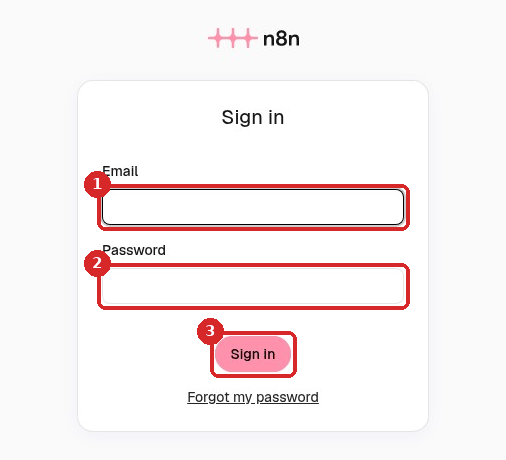
Save the password in your browser
n8n keeps you signed in for 7 days. Let your browser save the password so you do not have to look for the email each time.
The first time, n8n shows "Let's build your first automation". If a "What's new" window opens, close it.
2. Add your Claude key (credential)
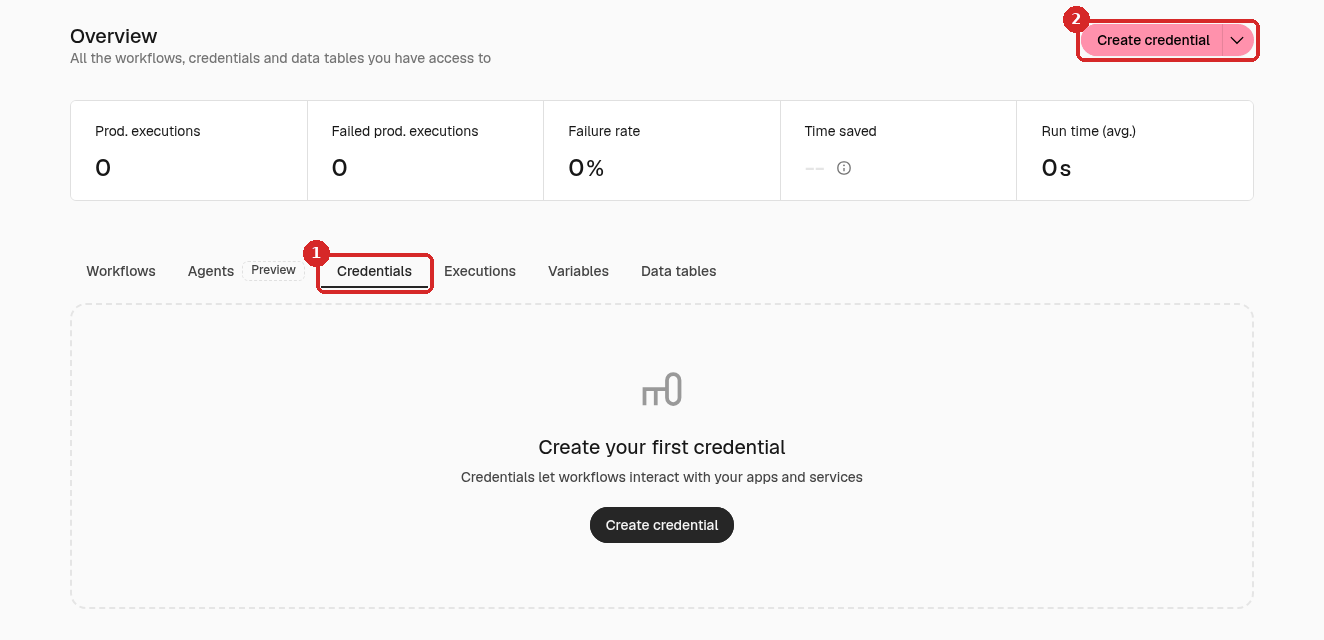
- Click the house icon (Overview) in the menu on the left.
-
Open the Credentials tab (1) and click Create credential (2).
-
In Add new credential, type
Anthropic, pick Anthropic in the list (1) and click Continue (2).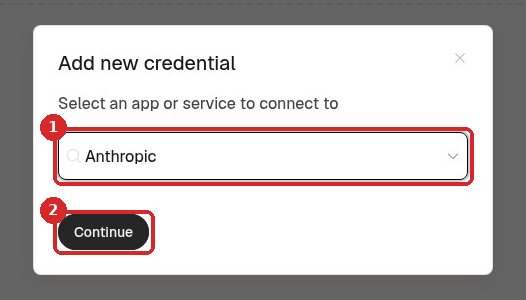
-
Paste your Anthropic key in API Key (1). Leave the other fields as they are.
-
Click Save. n8n tests the key and shows Connection tested successfully (2). Close the window with the X.
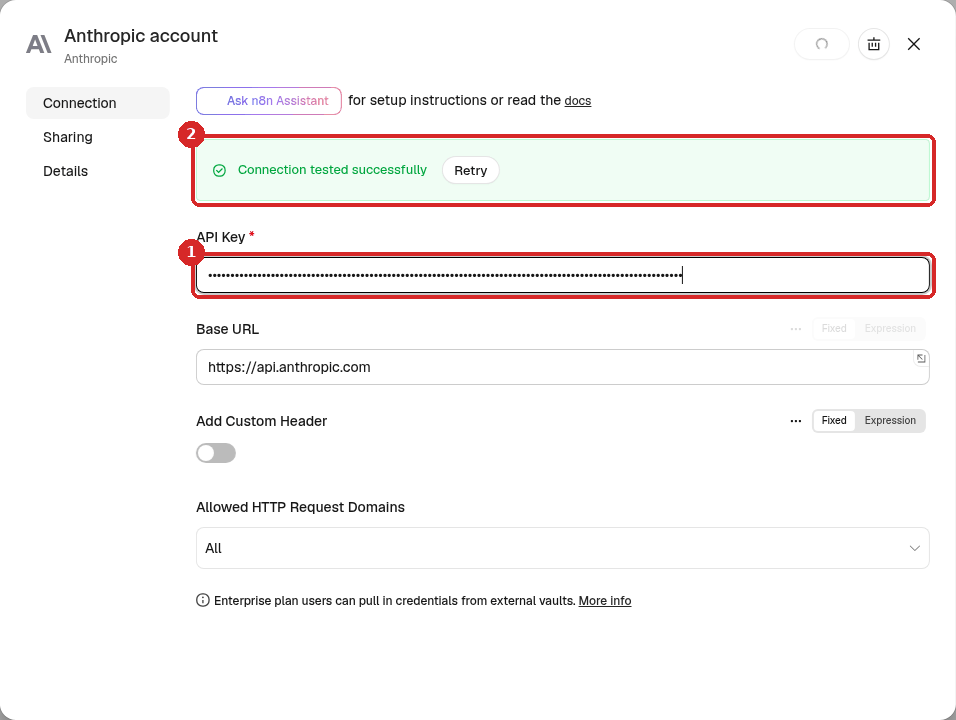
If the test fails
Check that you copied the whole key (it starts with sk-ant-) and that your Anthropic account has credit.
3. Build a chat agent
- Click the + at the top of the menu on the left and choose New workflow. An empty workflow opens.
-
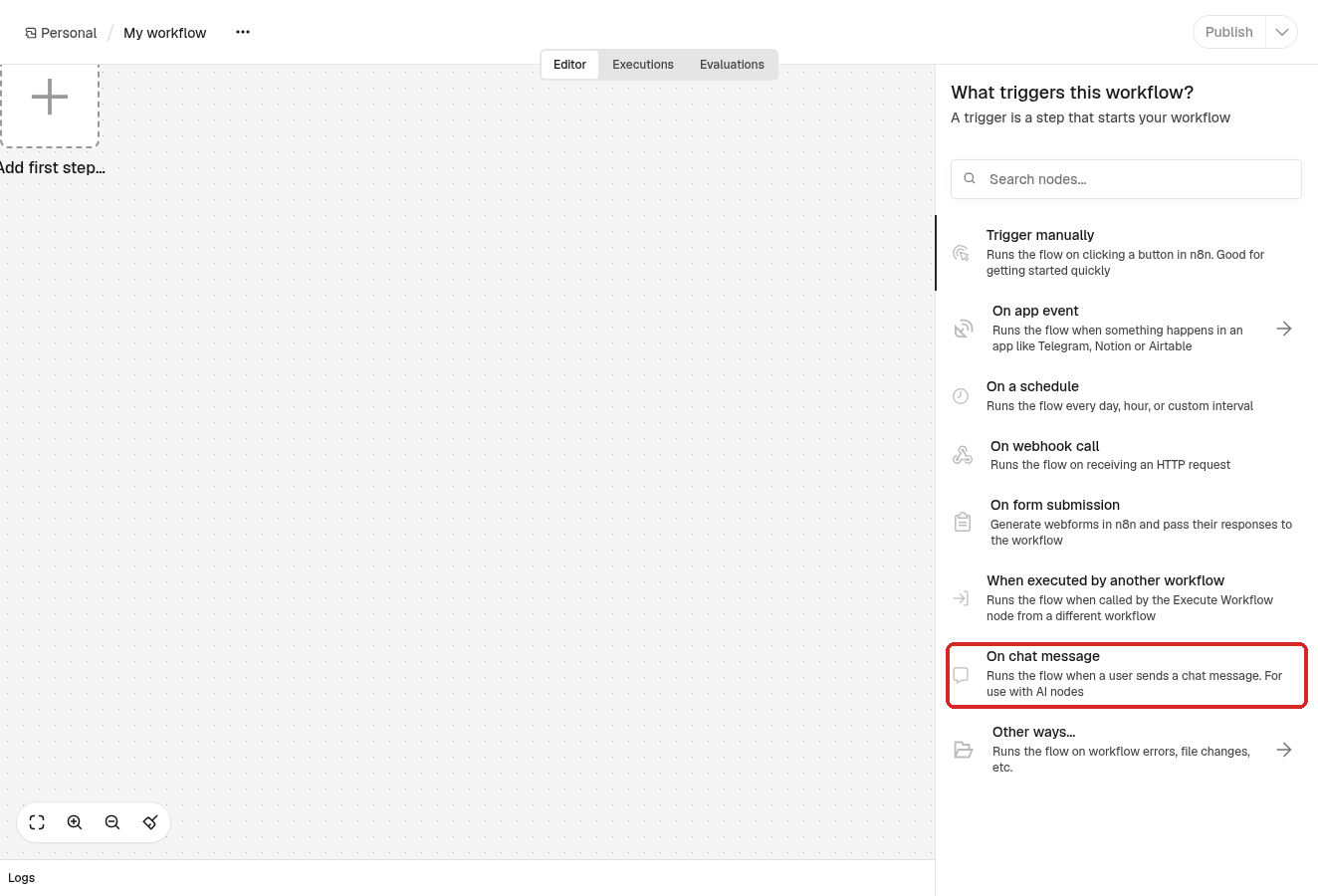
Click Add first step. In What triggers this workflow?, choose On chat message. This gives you a chat window to talk to the workflow.
-
Close the panel that opens (the X at the top right). Click the small + on the right of the new step, search for
AI Agentand click it. -
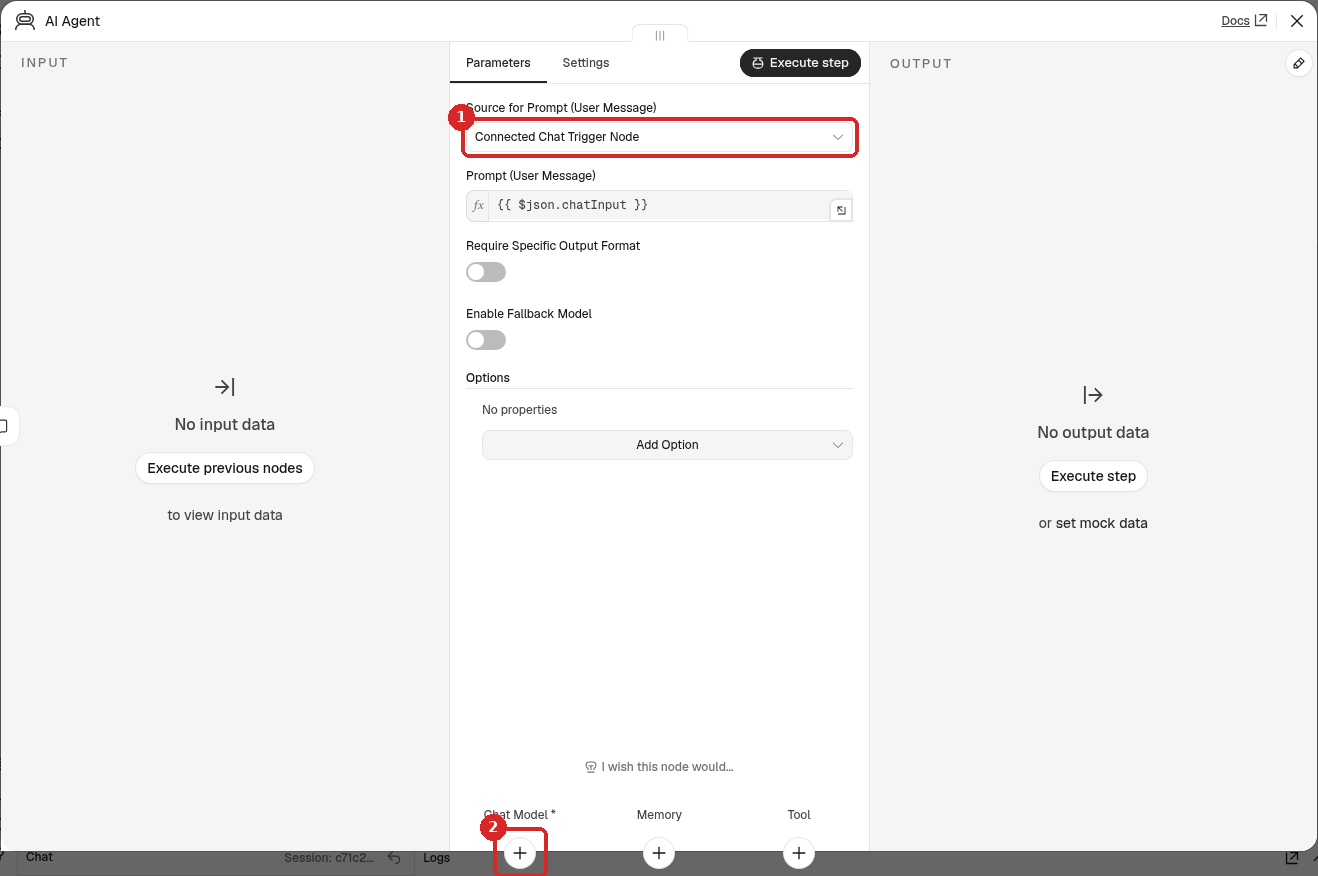
The AI Agent panel opens. Leave Source for Prompt as Connected Chat Trigger Node (1). At the bottom, click the + under Chat Model (2).
-
Search for
Anthropicand choose Anthropic Chat Model. n8n picks your Anthropic account credential (1) by itself. In Model (2) you can choose which Claude to use; the suggested one is fine.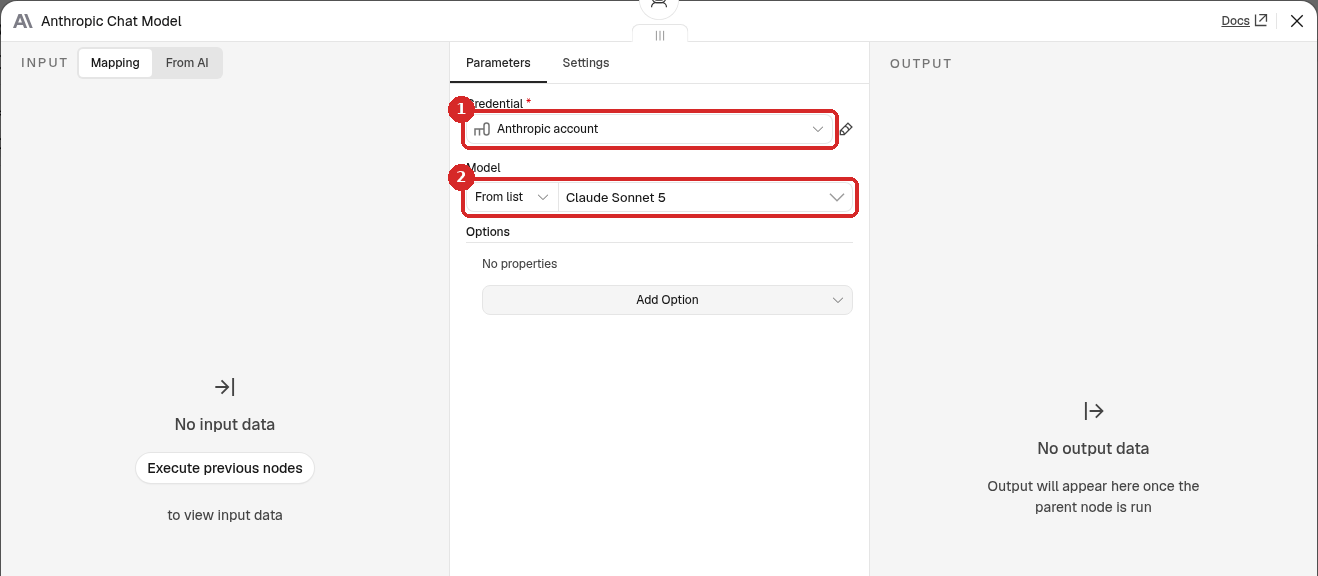
-
Close the panels. Your workflow now has three steps: When chat message received → AI Agent, with Anthropic Chat Model connected under the agent.
- Press Ctrl+S (Cmd+S on Mac) to save. Click the name My workflow at the top to rename it, for example My first AI agent.
4. Talk to it
- Click Open chat at the bottom of the canvas.
- Type a message, for example Hi! In two short sentences, what can you do for me?, and press Enter.
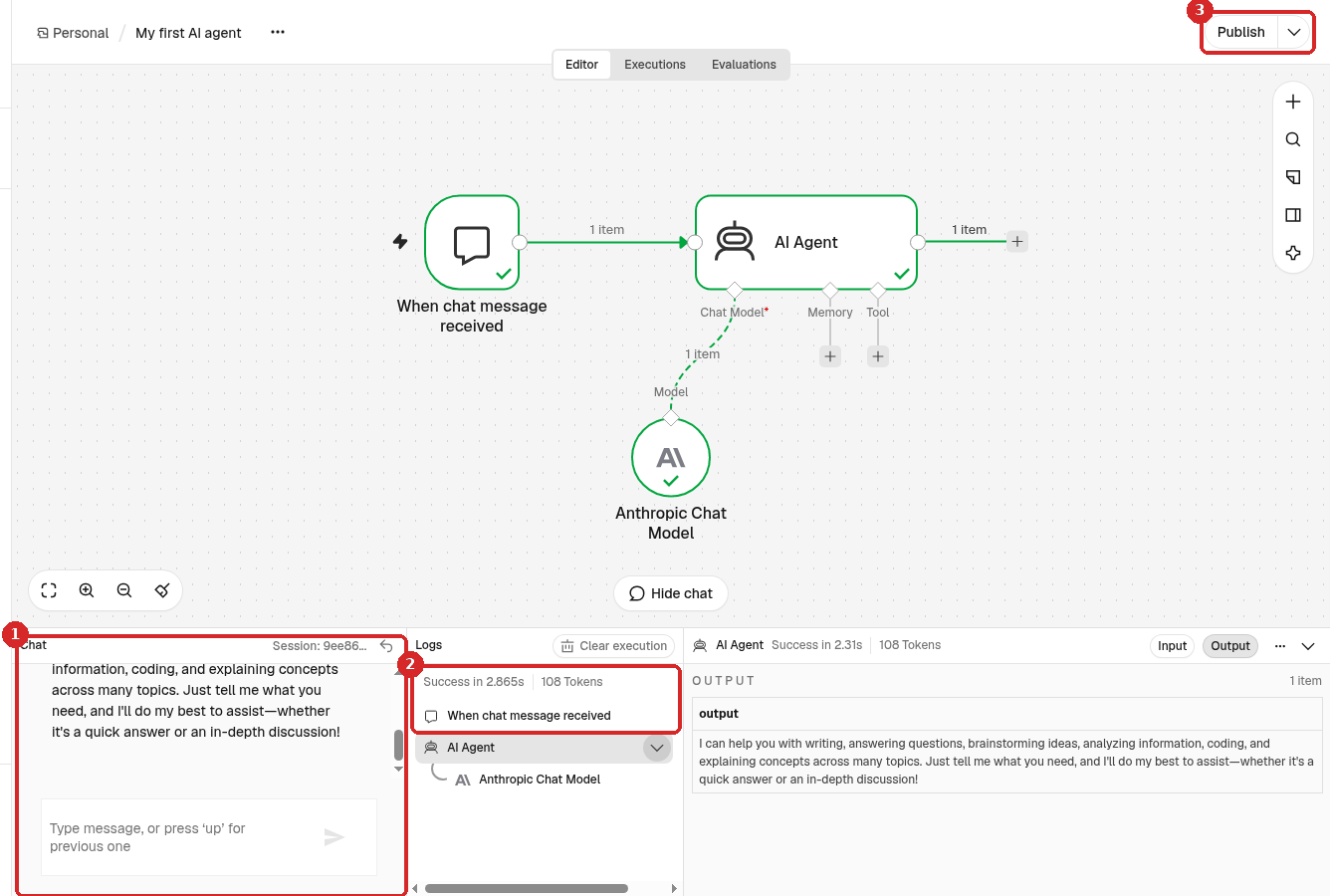
- The answer from Claude appears in the Chat panel.
- Logs shows each step and Success, with the time and the tokens used.
- Publish puts the workflow live, so it runs on its own (for example when it is triggered by Telegram or a schedule). You do not need it for the test chat.
Check that it worked
- The chat shows an answer, and Logs says Success. In our test the answer came in about 3 seconds.
- All the steps on the canvas have a green tick.
Common problems
n8n says my email or password is wrong
Use the email of your LusoVPS account and the service password from the "Your n8n is ready" email. Copy the password without spaces. If you still cannot sign in, open a ticket.
The Anthropic Chat Model step is red
It has no credential. Open it and choose Anthropic account in Credential. If there is none, do step 2 again.
The chat answers with an error about credit or the API key
Check your balance and the key in the Anthropic Console. If you created a new key, open Credentials, click Anthropic account and paste it again.
I was signed out of n8n
Sign in again with your email and service password. n8n signs you out after 7 days.