Recipe: make a price quote PDF for a customer
Give Hermes your price list once. Then, each time a customer asks for prices, tell Hermes what they want and get a clean quote PDF with the lines, the subtotal, the VAT and the total, ready to send.
| Time needed | 5 minutes |
| You need | A Hermes agent connected to an AI model and your price list (a CSV or Excel file, or a PDF) |
| Result | A one-page quote PDF you can download and send to your customer |
Check the numbers before you send the quote
Hermes calculated our test quote correctly, but a quote is a commitment to your customer. Compare the totals with your own calculation, at least the first few times.
1. Upload your price list
In the dashboard, open FILES → workspace and click UPLOAD, as in Hermes reads a contract for you.
In our test we uploaded price-list.csv, the price list of a small bakery. Prices are without VAT:
code,product,unit,price_eur_excl_vat
P01,Sliced bread 750 g,loaf,2.40
P02,Butter croissant,piece,0.95
P03,Custard tart (pastel de nata),piece,1.10
P04,Orange cake (whole),cake,12.50
P05,Corn bread (broa),loaf,3.20
P06,Box of 12 mini pastries,box,9.80
Say whether your prices include VAT
Write it in the file (like the column name above) or in your request. Otherwise Hermes has to guess.
2. Ask for the quote
Open CHAT and describe the order. Give the customer's name and address, the quantities, the VAT rate, and the file name you want:
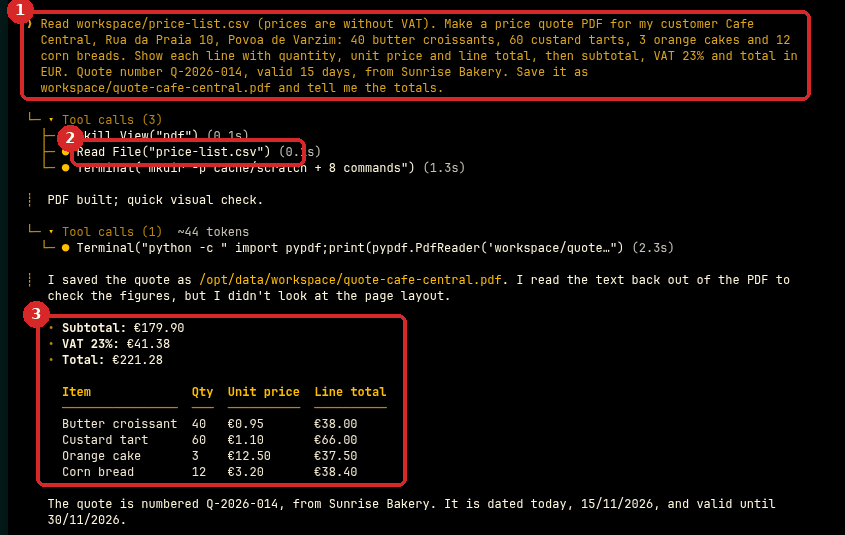
Read workspace/price-list.csv (prices are without VAT). Make a price quote PDF for my customer Cafe Central, Rua da Praia 10, Povoa de Varzim: 40 butter croissants, 60 custard tarts, 3 orange cakes and 12 corn breads. Show each line with quantity, unit price and line total, then subtotal, VAT 23% and total in EUR. Quote number Q-2026-014, valid 15 days, from Sunrise Bakery. Save it as workspace/quote-cafe-central.pdf and tell me the totals.
- Your request.
- Hermes reads your price list (Read File("price-list.csv")).
- About a minute later, it answers with the totals and the lines: Subtotal €179.90, VAT 23% €41.38, Total €221.28. It dated the quote today and set the valid until date 15 days later.
We checked the numbers ourselves: 40 × 0.95 = 38.00, 60 × 1.10 = 66.00, 3 × 12.50 = 37.50 and 12 × 3.20 = 38.40 make 179.90; 23% VAT is 41.38 (rounded to the cent); the total is 221.28. All correct.
3. Download the PDF
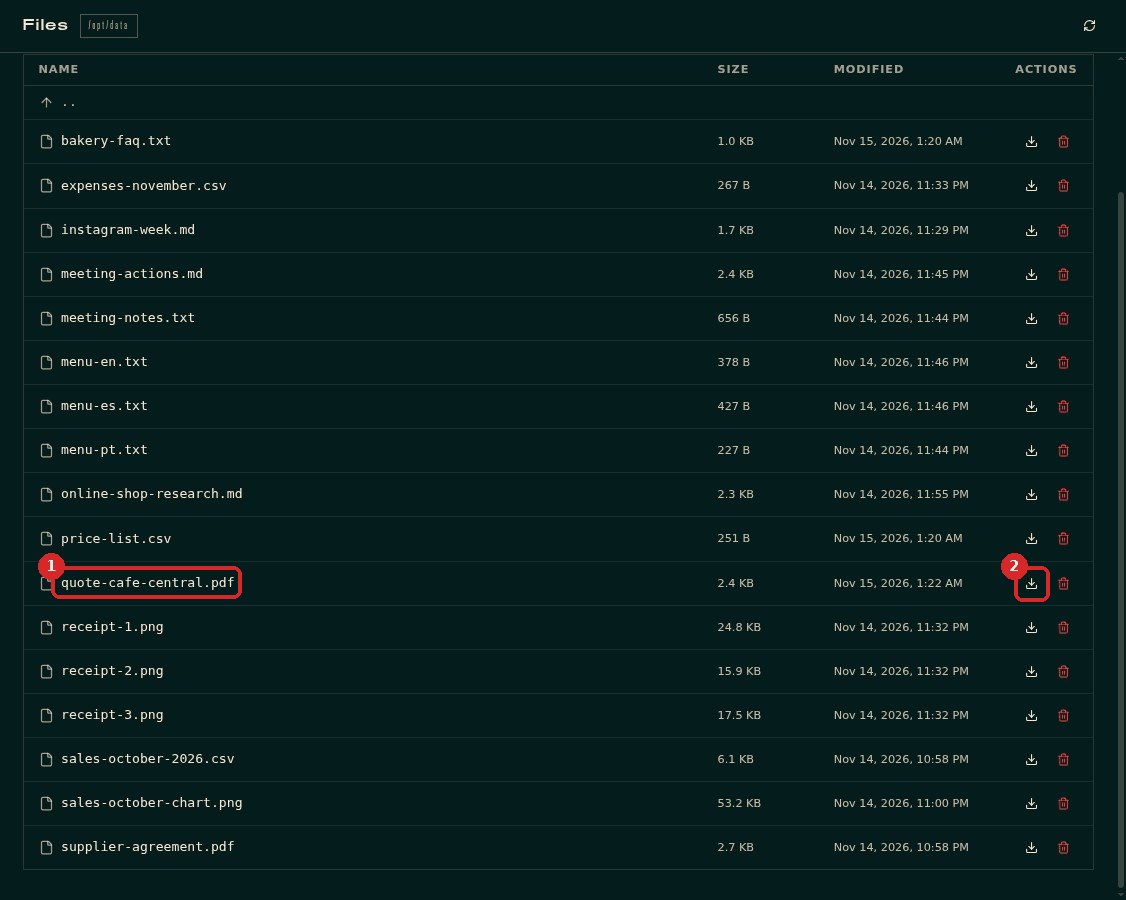
Open FILES → workspace. The new file quote-cafe-central.pdf is in the list (1). Click the download arrow on its line (2).
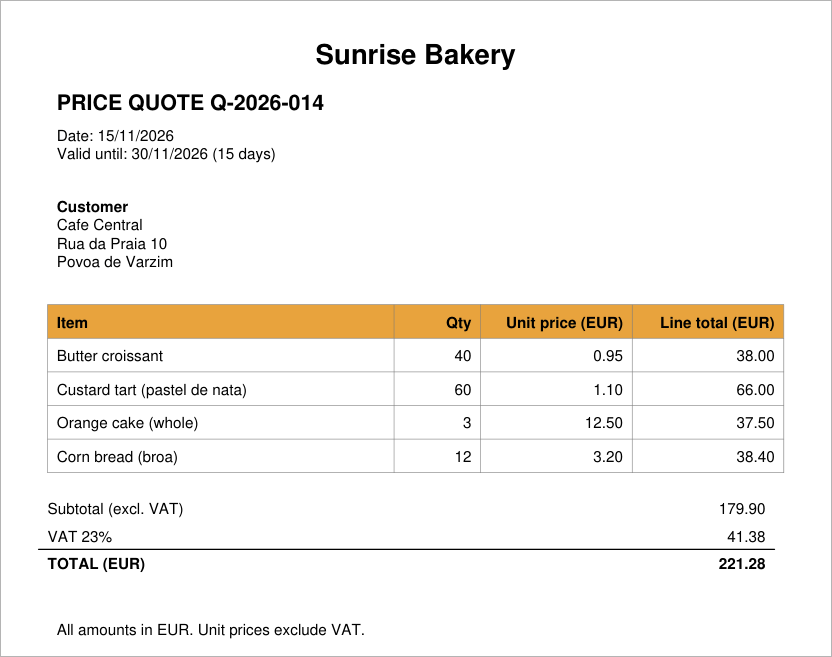
This is the PDF Hermes made in our test:
Check that it worked
- Open the PDF: the customer, every line, the subtotal, the VAT and the total are there.
- Add up the line totals yourself and compare. In our test they matched.
Make it yours
- Add your company details once: "In every quote, put my company name, address, VAT number (NIF) and IBAN at the top, and the payment terms 'payment within 8 days' at the bottom."
- Add a discount: "Give a 5% discount on the subtotal, before VAT."
- A different language: "Make the quote in Portuguese."
- Save the way you like it as a skill, so next time you only write "quote for Cafe Central: 40 croissants, 60 custard tarts".
- From your phone: send the same request to Hermes on Telegram; then download the PDF from FILES.
Common problems
A price in the quote is wrong
Check the price list first: Hermes uses the prices in the file. If the file is right, tell Hermes which line is wrong and ask it to make the PDF again.
The product names do not match my price list
Use the names from your price list in the request, or ask Hermes to tell you which products it could not find before it makes the PDF.
I do not see the PDF in Files
Click the refresh icon at the top right of FILES, and check that you are in the workspace folder. Ask Hermes "where did you save the quote?".