Connect Hermes to Telegram
Talk to your Hermes agent through your own Telegram bot. You create the bot with Telegram's @BotFather, copy its token, and paste it in the client area.
| Time needed | 5 minutes |
| You need | A Hermes agent connected to an AI model and a Telegram account (phone or desktop app) |
| Result | You message your bot on Telegram and Hermes answers |
The bot token is a password
Anyone with the token controls your bot. Do not share it or post it in chats. If it leaks, open @BotFather, send /mybots, choose the bot and tap Revoke current token, then save the new token in the client area.
1. Create the bot with @BotFather
In Telegram:
- Search for @BotFather (it has a blue verified tick) and open it.
- Send
/newbot. - Send a name for the bot, for example
My Assistant. People see this name. - Send a username. It must be unique and end in
bot, for examplemy_assistant_2026_bot.
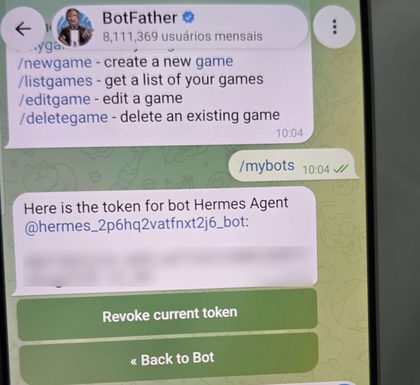
BotFather replies with the bot's token, a long code like 1234567890:AAE…. Tap it to copy it.
To see the token again later: send /mybots, choose your bot and tap API Token.
2. Paste the token in the client area
- Sign in to the client area, open your Hermes agent and click the Settings tab.
- Paste the token in Bot token.
- Click Save and apply.
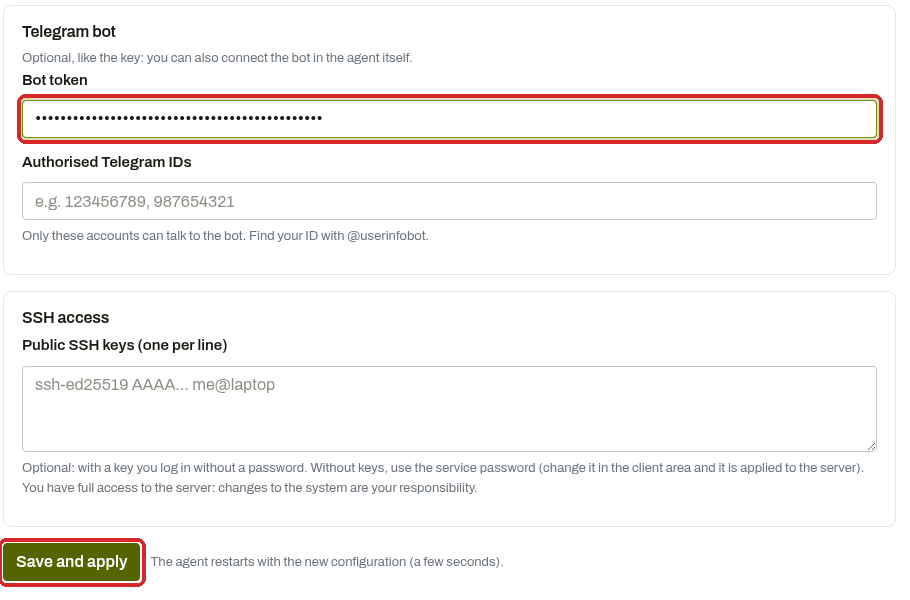
Authorised Telegram IDs can stay empty: you will approve yourself in step 3, which is easier. If you already know your numeric Telegram ID (from @userinfobot), you can put it here instead and skip the approval.
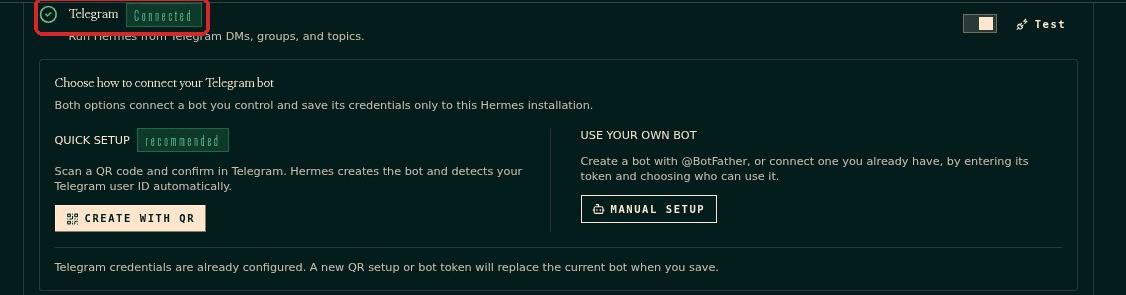
The agent restarts. In the dashboard (Open dashboard → Channels) the Telegram card now shows Connected.
3. Send the first message and approve yourself
- In Telegram, open your bot: search for its username, or open
https://t.me/<username>on your phone. - Tap Start and send any message.
-
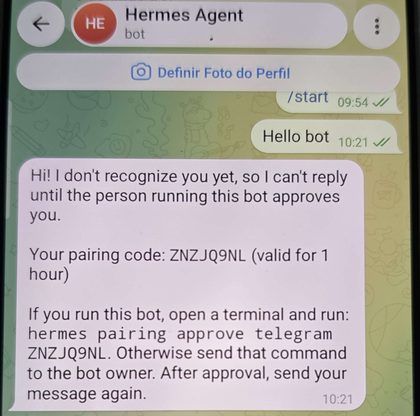
The bot replies that it does not recognise you yet, with a pairing code.
-
Approve yourself in the dashboard: see Choose who can talk to your agent.
- Send your message again. Hermes answers.
Check that it worked
The bot answers your messages with text written by the AI.
Common problems
I can't find my bot in Telegram search
Search for the exact username (ending in bot), not the display name. Several bots can have the same display name.
The bot does not reply at all
Check the token was copied completely and saved with Save and apply. In the dashboard, Channels → Telegram must show Connected.
The bot replies with a pairing code every time
You have not been approved yet. Approve the request in the Pairing page, or add your numeric Telegram ID in Authorised Telegram IDs.
Can the same bot be used by two agents?
No. Telegram delivers a bot's messages to one program only. Create one bot per agent.
Quick setup with a QR code
The dashboard's Channels → Telegram card also offers a Quick setup that creates the bot for you from a QR code. This guide uses the BotFather method because it works the same everywhere and you keep full control of the bot.