Teach Hermes a skill
A skill is a set of written instructions Hermes keeps and uses whenever a task matches. For example: "how I want customer replies written", or "how to prepare my weekly report". You explain it once, in plain words, and Hermes follows it from then on.
| Time needed | 5 minutes |
| You need | A Hermes agent connected to an AI model |
| Result | Hermes applies your instructions automatically when the task comes up |
Hermes already comes with dozens of skills (documents, research, email, and more). This guide shows how to add your own.
1. Open the Skills page
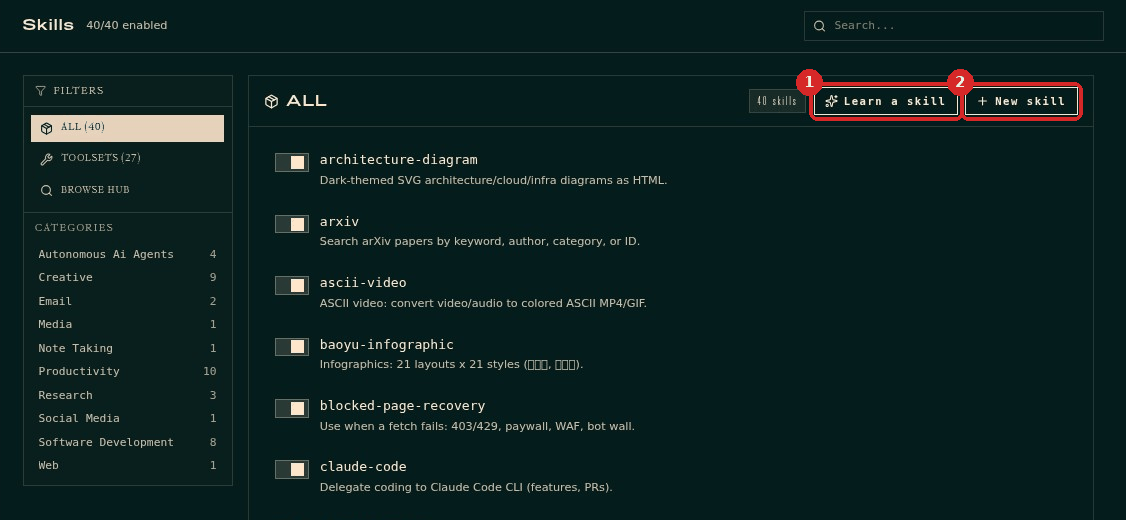
In the dashboard menu, click SKILLS. You see every skill the agent has, grouped by category. At the top right there are two buttons:
- Learn a skill: describe what you want in plain words and Hermes writes the skill for you. Use this one.
- New skill: write the skill yourself (for advanced users).
2. Describe the skill
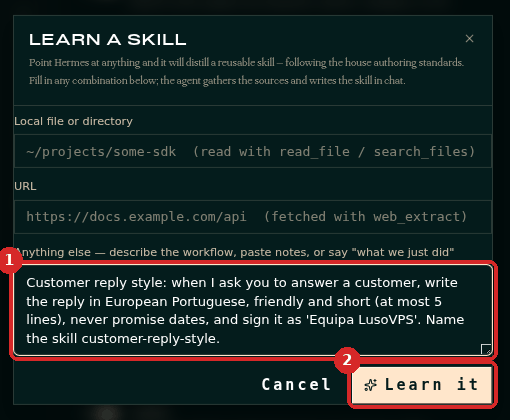
Click Learn a skill. You can point Hermes to a file or a web page, but the simplest way is the last box, Anything else (1). Describe the task, the rules, and give the skill a name. For example:
Customer reply style: when I ask you to answer a customer, write the reply in European Portuguese, friendly and short (at most 5 lines), never promise dates, and sign it as 'Equipa LusoVPS'. Name the skill customer-reply-style.
Click Learn it (2).
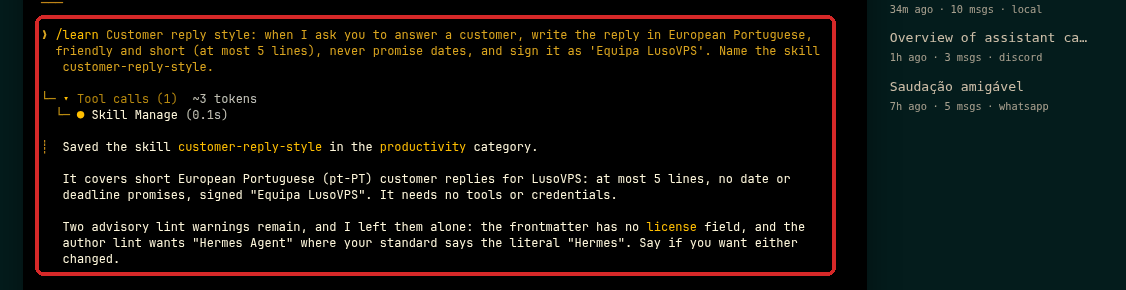
Hermes opens the Chat, writes the skill and confirms where it saved it.
Turn a finished task into a skill
Learn it sends your description to Hermes in the chat (the message starts with /learn). As the window suggests, you can also write "what we just did" to turn a task Hermes has just done into a skill.
3. Use it
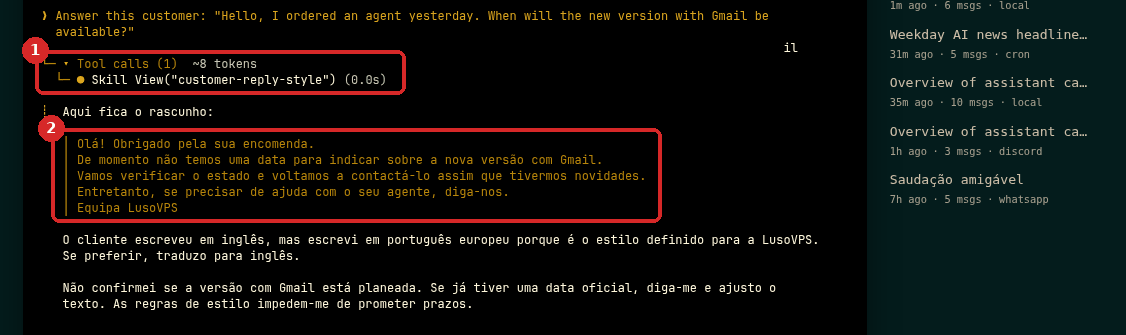
You do not need to call the skill by name. Start a New chat and ask for the task. In our test we asked "Answer this customer: 'Hello, I ordered an agent yesterday. When will the new version with Gmail be available?'":
- Hermes loaded the skill on its own (
Skill View("customer-reply-style")). - The reply follows the rules: European Portuguese, short, no date promised, signed Equipa LusoVPS.
4. Change or switch off a skill
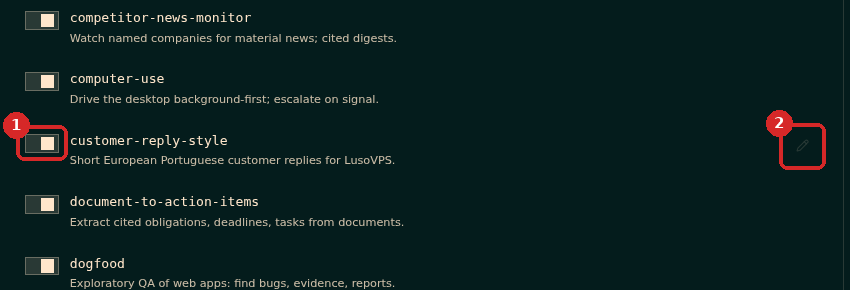
On the SKILLS page, find your skill in the list:
- The switch on the left turns the skill on or off. A skill that is off is not used, but it is not deleted.
- Move the mouse over the skill: a pencil appears on the right. Click it to edit the skill.
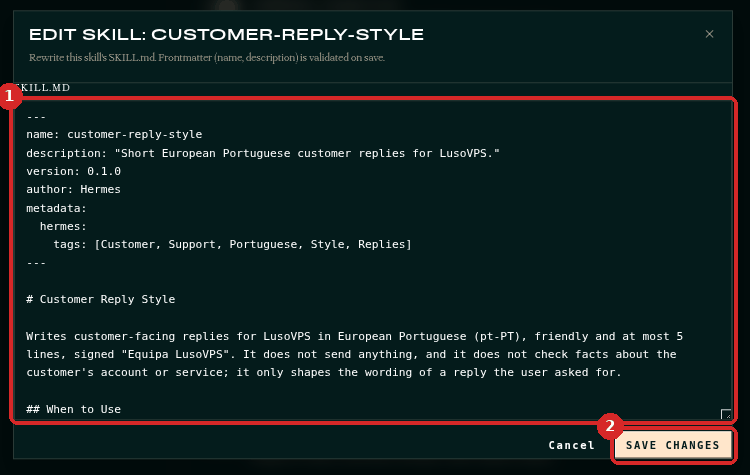
The editor shows the skill's text (1). The lines between --- at the top (name and description) must stay. Change the instructions below them and click Save changes (2).
To delete a skill, ask Hermes in the chat, for example "Delete the customer-reply-style skill". It removes it and confirms ("I deleted the customer-reply-style skill").
Check that it worked
- Your skill appears on the SKILLS page (the counter at the top goes up by one).
- When you ask for the task in a new chat, Hermes shows a
Skill Viewline with your skill's name, and the answer follows your rules.
Common problems
Hermes did not use my skill
Check that its switch is on. Then make the request closer to the skill's description (for example "answer this customer" instead of "what should I say?"), or say "use the customer-reply-style skill".
My skill changed on its own
Hermes can update skills while it works, and a skill curator reviews them once a week (you can see it in SYSTEM). If you do not want a change, edit the skill back.