Chat with Hermes in the dashboard
You do not need WhatsApp or Telegram to talk to Hermes. The dashboard has a Chat page that works in any browser. It is the quickest way to test your agent.
| Time needed | 2 minutes |
| You need | A Hermes agent connected to an AI model |
| Result | You ask Hermes a question in the browser and it answers |
1. Open the Chat page
- In the client area, open your Hermes agent and click Open dashboard.
- In the dashboard menu, click CHAT.
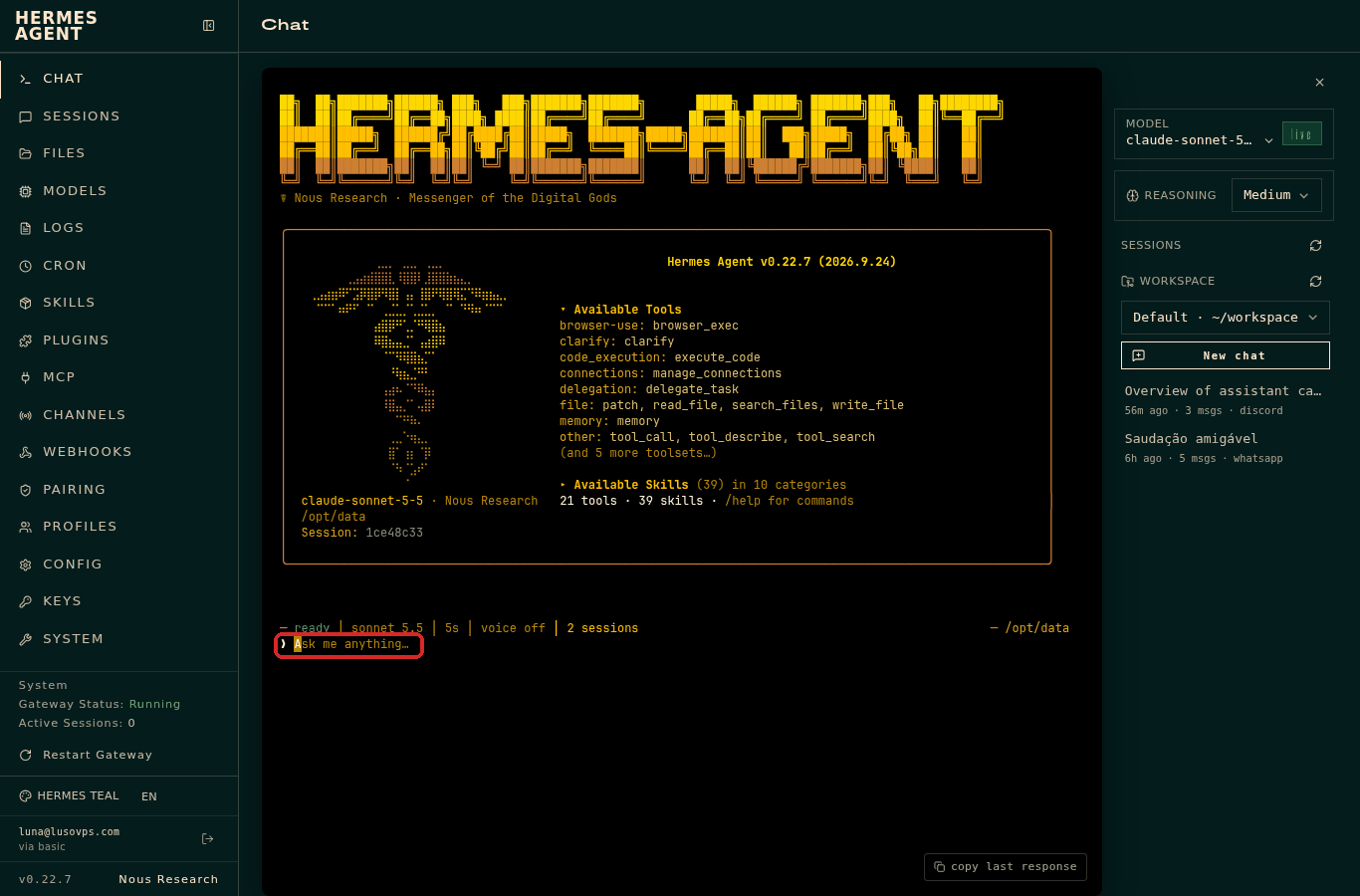
The chat looks like a terminal: dark background, the Hermes logo, and a list of the tools and skills the agent has. At the bottom there is a line that says Ask me anything….
2. Ask something
Click on Ask me anything…, type your message and press Enter.
Hermes shows what it is doing (for example the tools it uses) and then writes the answer.
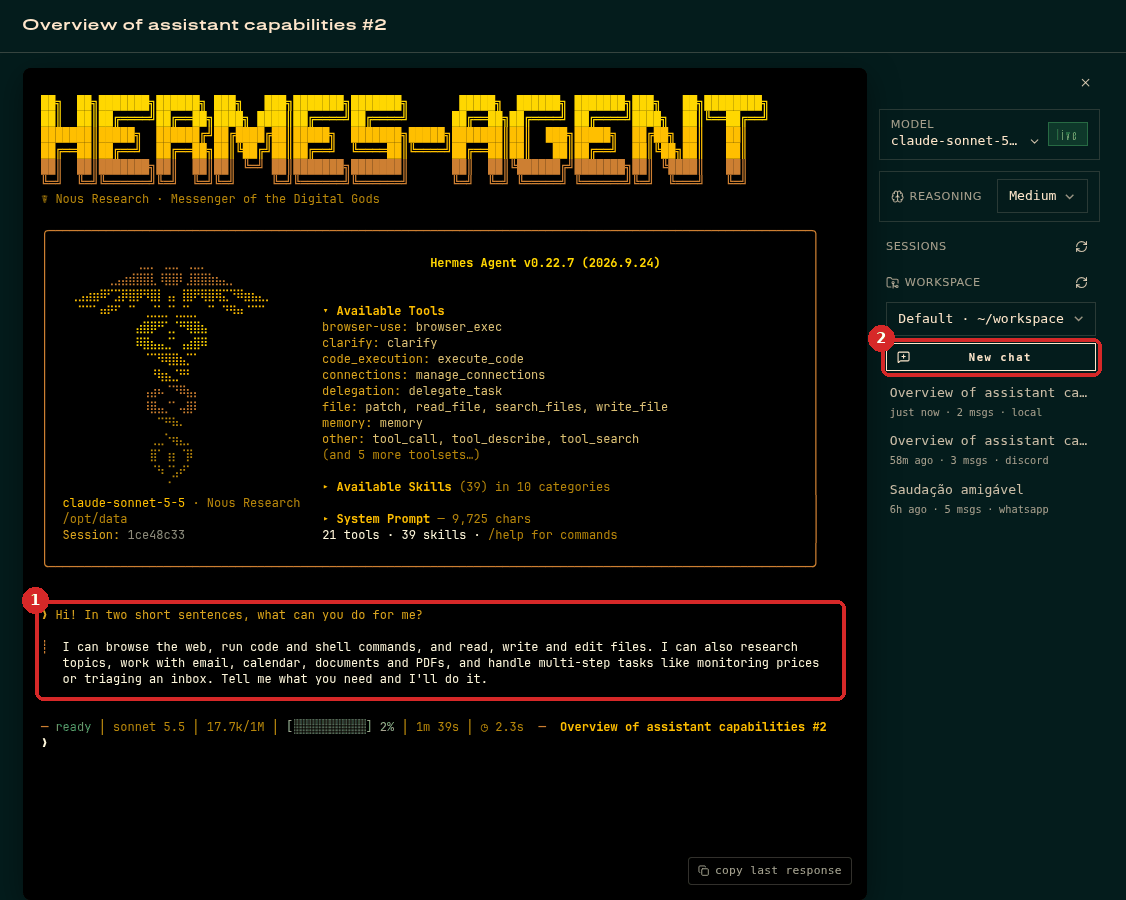
On the right:
- MODEL shows the AI model in use (for example
claude-sonnet-5-5). - REASONING sets how much the model thinks before answering. Medium is a good default.
- SESSIONS lists your conversations, from every channel (the small label says
local,discord,whatsapp…). Click one to reopen it. - New chat starts a clean conversation.
Commands
Type /help in the chat to see the commands Hermes understands.
Check that it worked
Hermes writes an answer under your question. The status line under the answer shows ready when it has finished.
Common problems
Nothing happens when I type
Click once on the Ask me anything… line first.
Hermes answers with an error about the API key or credit
See Connect Claude and check the credit in your AI provider's console.
The page asks me for a username and password
The dashboard sign-in is cleared when the agent restarts. Go back to the client area and click Open dashboard again.